
Excel at Being Debt-Free: A Debt Payoff Tracker Excel Tutorial
Why a Debt Payoff Tracker Excel Spreadsheet Is the Fastest Path to Financial Clarity
A debt payoff tracker Excel spreadsheet is a tool that lists all your debts in one place — balances, interest rates, minimum payments, and due dates — so you can build a clear plan to pay them off, track your progress, and see exactly when you’ll be debt-free.
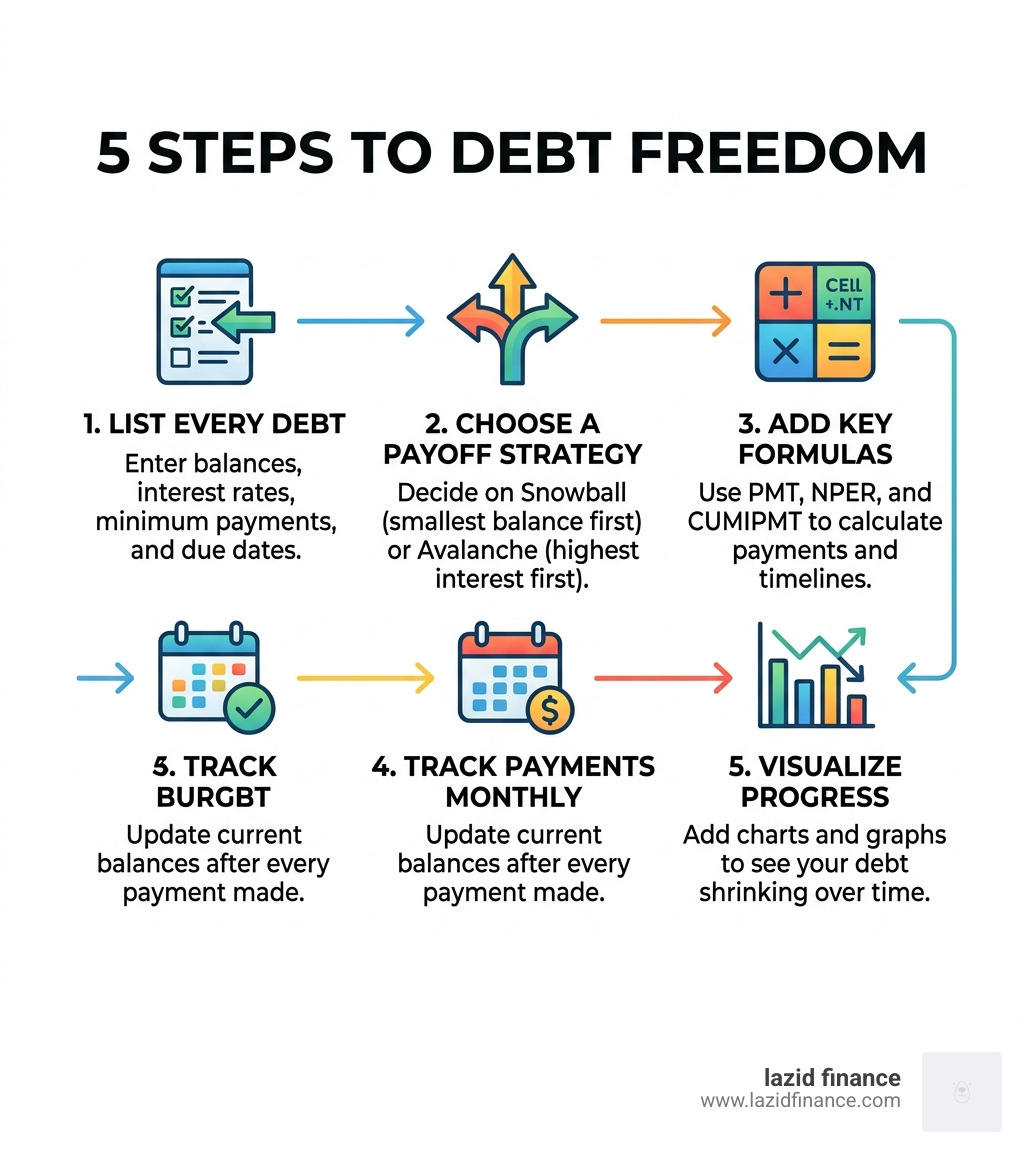
Here’s how to get started in 5 steps:
- List every debt — creditor name, current balance, interest rate, minimum payment, and due date
- Choose a payoff strategy — snowball (smallest balance first) or avalanche (highest interest first)
- Add key formulas — use
PMT,NPER, andCUMIPMTto calculate payments and timelines - Track payments monthly — update balances after every payment
- Visualize progress — add a chart so you can see your debt shrinking
Debt can feel like a weight that quietly grows heavier every month. Most people know they should pay more than the minimum — they just don’t have a clear picture of what that extra money actually does for them.
That’s exactly what a spreadsheet fixes.
Instead of guessing, you see the numbers. Instead of feeling stuck, you have a date circled on a calendar: your debt-free date.
Research from the Kellogg School of Management at Northwestern University found that people using structured debt payoff methods — like the debt snowball — paid off their debt faster than those without a plan. And a study published in the Journal of Consumer Research confirmed that focusing on one balance at a time has the most powerful effect on motivation to keep going.
You don’t need to be an Excel expert to build one of these trackers. You just need the right setup — and that’s exactly what this guide walks you through.
Why Use a Debt Payoff Tracker Excel Spreadsheet?

When we talk about managing money, we often focus on the “what” (the debt) rather than the “how” (the system). Using a debt payoff tracker excel workbook provides a level of centralization that apps often lack. It’s your financial headquarters.
Centralization and Real-Time Visibility
Most of us have liabilities scattered across different portals—a student loan here, a credit card there, and perhaps a car payment somewhere else. By bringing these into a single spreadsheet, you eliminate the “out of sight, out of mind” trap. You get real-time visibility into your total net debt, which is the first step toward mindful financial choices.
Customization and Long-Term Planning
Unlike rigid apps, an Excel workbook is yours to command. You can customize columns to include specific creditor contact info or account numbers. More importantly, you can perform long-term financial planning. Want to see what happens if you skip one dinner out a week and put that $50 toward your highest-interest card? In Excel, that’s just one cell change away.
Accountability and Automation
While we love a good manual update for the psychological “win,” Excel also allows for significant automation. You can set up your tracker to highlight due dates in red as they approach or automatically calculate how much interest you’ll save by making an extra payment this month. At Lazid Finance, we believe that intelligent tools lead to conscious decisions, and a well-built spreadsheet is the ultimate smart solution for debt management.
Choosing Your Strategy: Snowball vs. Avalanche
Before you start typing numbers, you need a philosophy. There are two primary schools of thought when it comes to debt reduction.
| Feature | Debt Snowball | Debt Avalanche |
|---|---|---|
| Primary Focus | Smallest Balance First | Highest Interest Rate (APR) First |
| Main Benefit | Psychological momentum and “quick wins” | Mathematical efficiency and interest savings |
| Best For | Those who struggle with motivation | Those who want the lowest total cost |
| Research Support | Kellogg School (Faster payoff via behavior) | Pure Mathematics (Cheapest route) |
Snowball: The Psychological Powerhouse
The Debt Snowball method, popularized by financial experts like Dave Ramsey, suggests you ignore interest rates and focus on the smallest balance first. Why? Because crossing a debt off your list feels amazing. That “win” releases dopamine, making you more likely to stick to the plan. According to field experiments published in the Journal of Consumer Research, focusing on small balances has a more powerful effect on long-term persistence than any other factor.
Avalanche: The Mathematical Champion
The Debt Avalanche method is for the “nerds” (we say that with love!). You list debts by interest rate and attack the one with the highest APR first. Mathematically, this is the superior strategy because it minimizes the total interest you pay over time. If you have a credit card at 24% and a student loan at 5%, the avalanche says that 24% card is your biggest enemy, regardless of the balance.
Which one should we choose?
The honest answer is: the one you will actually stick with. If you need to see progress quickly to stay interested, go Snowball. If the thought of paying extra interest keeps you up at night, go Avalanche. You can even create a “Stair-Stepper” hybrid, where you group debts by balance ranges but prioritize the highest interest within those groups.
Step-by-Step: How to Build Your Debt Payoff Tracker Excel
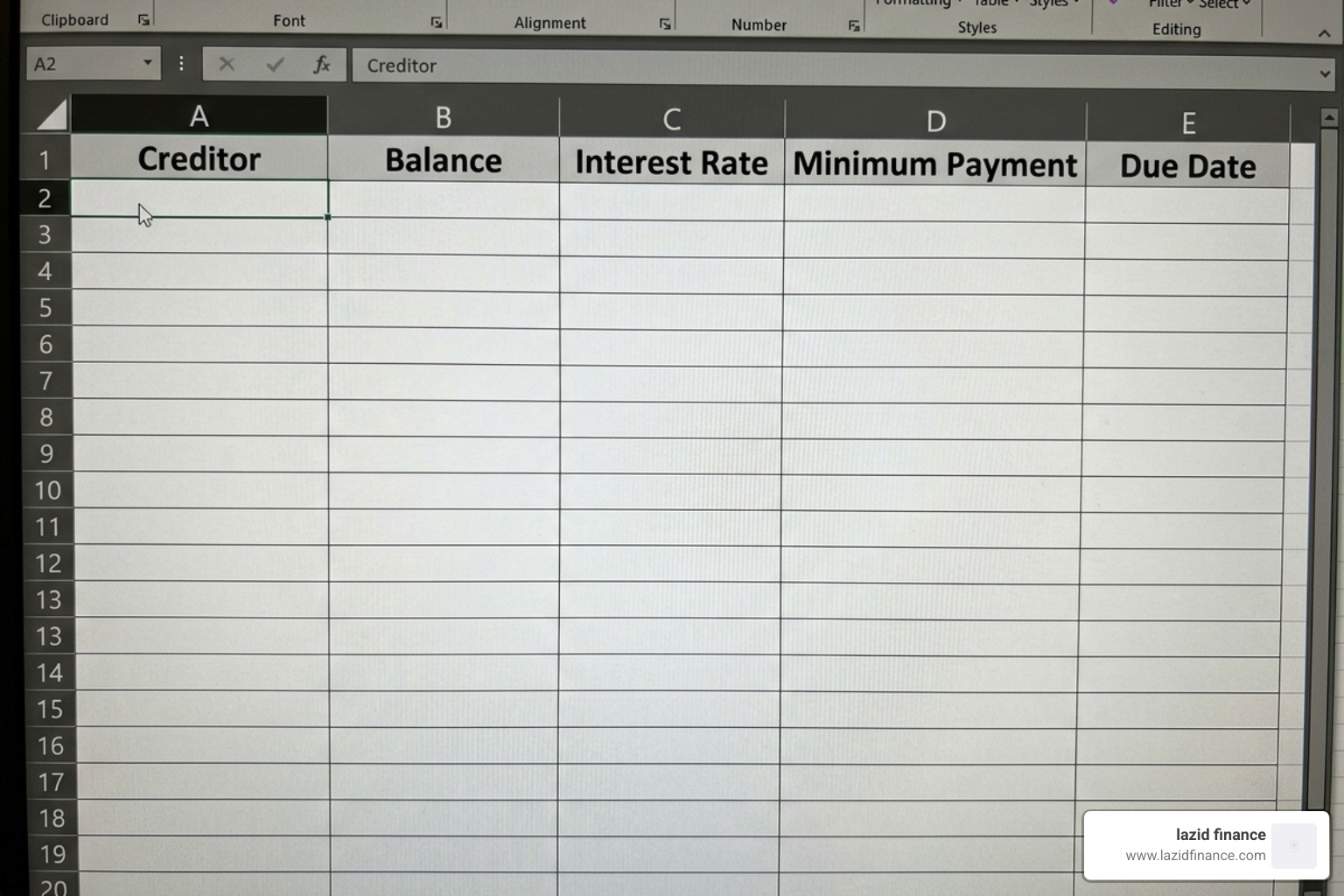
Let’s get our hands dirty. Open a fresh Excel sheet and follow these steps to build your foundation.
1. Define Your Headers
In row 1, create the following headers:
- A: Creditor Name (e.g., “Main Street Visa”)
- B: Current Balance (The total amount you owe today)
- C: Interest Rate (APR) (Enter as a percentage, e.g., 18.9%)
- D: Minimum Payment (The absolute least you must pay to avoid fees)
- E: Due Date (The day of the month it’s due)
- F: Strategy Priority (A number 1, 2, 3 based on your chosen method)
2. Data Entry Best Practices
Gather your most recent statements. “No fudging!” as the saying goes. Include everything—even that small loan from a family member. For interest rates, make sure you are using the annual percentage rate (APR). When entering balances, use the most current figure from your online portal to ensure accuracy.
3. Create a Payment Log
On a second tab, create a simple log where you record the date, the amount paid, and the new balance. This historical data is vital for seeing how far you’ve come.
Essential Formulas for Your Debt Payoff Tracker Excel
To make your debt payoff tracker excel truly “smart,” you need to use Excel’s built-in financial functions.
- PMT (Payment):
=PMT(rate/12, nper, pv)Use this to calculate what your monthly payment should be if you want to be debt-free in a specific number of months. - NPER (Number of Periods):
=NPER(rate/12, payment, pv)This is the “Magic Formula.” It tells you exactly how many months it will take to reach zero based on your current payment amount. - CUMIPMT (Cumulative Interest):
=CUMIPMT(rate/12, nper, pv, start_period, end_period, type)This calculates the total interest you will pay over the life of the debt. Warning: This number might be scary, but it’s a great motivator to pay extra!
Customizing Your Debt Payoff Tracker Excel for Multiple Accounts
If you’re managing 10, 20, or even 40+ debts (yes, some people do!), organization is key.
The “Roll-Over” Effect: The secret sauce of any debt plan is the “roll-over.” When Debt #1 is paid off, you don’t just spend that money. You take the entire amount you were paying on Debt #1 and add it to the minimum payment of Debt #2. Your spreadsheet should model this. Create a “Total Monthly Debt Budget” cell. As balances hit zero, the “Extra Payment” column for the next debt should automatically increase.
Scenario Modeling: Create a “What-If” section. Use a simple formula to see how a one-time windfall—like a tax refund or a work bonus—affects your “Debt-Free Date.” Seeing that a $1,000 bonus could shave 4 months off your timeline is a massive incentive to stay mindful with that cash.
Visualizing Your Journey to Zero
Numbers are great, but pictures tell the story. A debt payoff tracker excel is incomplete without a dashboard.
Dynamic Progress Bars
You can use Conditional Formatting to create in-cell progress bars. Select your balance cells, go to Conditional Formatting > Data Bars. As the balance drops, the bar shrinks. It’s a simple visual cue that provides instant gratification.
The Debt-Free Date
This is the most important metric on your dashboard. Use the MAX function on your projected payoff dates for all accounts to find your “Ultimate Debt-Free Date.” Put this in large, bold font at the top of your sheet.
Milestone Tracking
Don’t just celebrate the end; celebrate the journey. Set milestones like “25% Paid Off” or “Credit Card #1 Gone.” You can even use “Debt Free Charts” where you color in a grid or a “snowball” image as you reach certain dollar amounts. This gamification makes the process feel less like a chore and more like a challenge.
Frequently Asked Questions about Debt Tracking
Can I use this debt payoff tracker in Google Sheets?
Yes! Most debt payoff tracker excel templates are compatible with Google Sheets. The primary benefit of Google Sheets is cloud access; you can update your balance while standing in line at the grocery store. However, be aware that very complex Excel macros (VBA) may not work in the Sheets environment. For standard formulas like PMT and NPER, both platforms work perfectly.
How does tracking debt improve my credit score?
Tracking your debt directly impacts two major FICO score factors:
- Payment History (35%): Your tracker ensures you never miss a due date.
- Credit Utilization (30%): As you watch your balances drop in your spreadsheet, your utilization ratio improves, which often leads to a significant score boost. By maintaining a low Debt-to-Income (DTI) ratio, you also make yourself much more attractive to lenders for future needs, like a mortgage.
What are common mistakes to avoid in a debt spreadsheet?
- Static Data: A spreadsheet is only useful if it’s updated. Set a “Money Date” once a month to refresh your numbers.
- Ignoring Compounding Interest: If you only track the principal and forget that interest is added monthly, your “Debt-Free Date” will be wrong. Always update based on the actual balance on your statement.
- Overestimating Your Budget: Be realistic. It’s better to commit to a consistent $50 extra payment than to promise $500 and quit after two months because you can’t afford groceries.
Conclusion
Achieving true financial freedom isn’t about how much you earn; it’s about how consciously you manage what you have. Using a debt payoff tracker excel gives you the map you need to navigate out of the woods. Whether you choose the psychological wins of the snowball or the mathematical logic of the avalanche, the act of tracking is what creates change.
At Lazid Finance, we are dedicated to providing smart finance solutions tailored for mindful choices. We believe that when you have clarity, you make better decisions. Your journey to a zero balance starts with a single cell in a spreadsheet.
Ready to take the next step in your financial evolution? Explore more about our smart finance services to find the tools that fit your lifestyle. Let’s make 2026 the year you finally excel at being debt-free!

